Using WhatsApp for business means: customers message your business via a business account of its own, not via the personal WhatsApp of the owner or a colleague. You create that account in the free WhatsApp Business app, or you connect your number to the WhatsApp Business API if you work with a team or other systems. Below you will read how to start, what businesses use WhatsApp for, why it works especially well with consumers and what to watch out for with privacy.
An overview of everything around WhatsApp for businesses is in our knowledge centre on WhatsApp Business.
What does using WhatsApp for business mean?
Using WhatsApp for business is using WhatsApp for contact with customers, from an account that belongs to the business. You choose from two forms:
- The WhatsApp Business app. A separate app for businesses, with a business profile and tools such as quick replies and automated messages. Suitable if you reply with one or a few colleagues.
- The WhatsApp Business API. Not an app, but an integration with which you use WhatsApp in software, such as a shared inbox or your CRM. Suitable for teams and larger volumes. How that works is covered in the WhatsApp Business API.
What exactly WhatsApp Business is and what benefits the app has over ordinary WhatsApp is covered in what is WhatsApp Business.
How to create a business WhatsApp account
You create a business WhatsApp account in a few minutes. Go through these steps:
- Choose a number of your own for the business. Preferably use a number that belongs to the business and stays with it, not an employee’s personal number.
- Download the WhatsApp Business app and register that number.
- Fill in your business profile. Customers see your details there at a glance, such as your business name, description and contact information (WhatsApp Business).
- Prepare the basics. A greeting message, an away message with your availability and quick replies to the questions you get most often (WhatsApp Business).
- Share your short link. The app automatically creates a short link with which customers start a chat with you directly (WhatsApp Help Center). Put it on your website, in your email signature and on your print.
What businesses use WhatsApp for
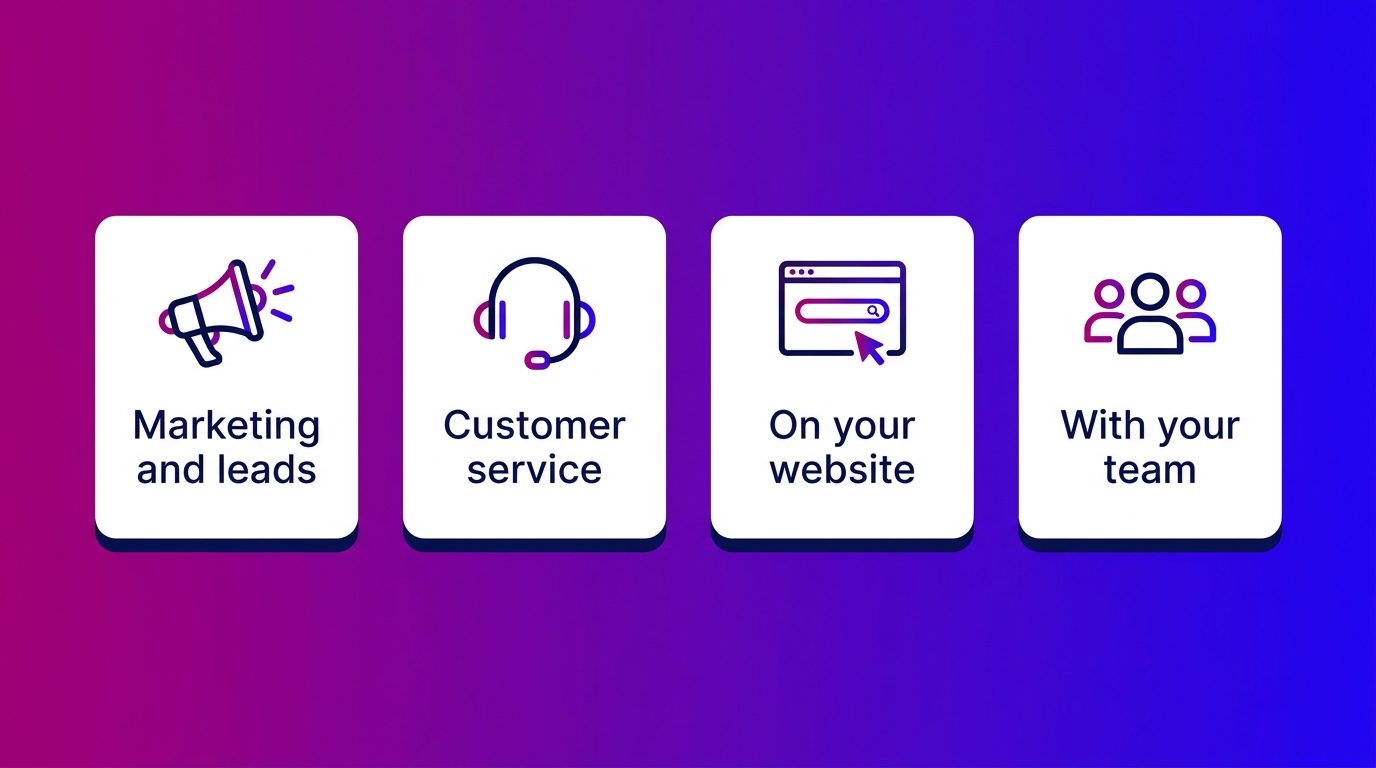
Businesses use WhatsApp for four things. Most start with one application and expand later.
- Marketing and leads. Ads, QR codes and links that start a conversation, and marketing messages to customers who gave permission. Read more about WhatsApp marketing.
- Customer service. Questions about status, appointments and delivery, often with a photo attached. Read more about WhatsApp customer service.
- On your website. A WhatsApp button or link alongside your chat function, so visitors can carry on talking after their visit. Read more about WhatsApp on your website.
- With your team. Several colleagues answering the same number, in the app or via a shared inbox. Read more about WhatsApp Business with multiple users.
WhatsApp for B2C
WhatsApp works especially well for B2C, businesses that sell to consumers, because consumers already use it every day. A customer does not have to fill in a form or call during office hours, but messages when it suits them.
Three situations in which WhatsApp for B2C makes the difference:
- Larger purchases with a research phase. With a car, kitchen or windows a customer asks questions over weeks. On WhatsApp that conversation stays together.
- Questions with images. A photo of the room, the old car or a damaged product says more than a description.
- Appointments and reminders. A test drive, showroom visit or measuring appointment is booked in a few messages, and a reminder arrives in the place the customer is already looking anyway.
For B2B, WhatsApp works too, especially with existing customers and for follow-up after a first conversation. For cold outreach it is less suitable, because you need permission in advance for marketing messages.
Personal WhatsApp or business: what to watch out for
Many businesses start with WhatsApp on the personal phone of the owner or a salesperson. That works until something changes, and then there are three risks in it.
- Customer conversations sit on a personal phone. If an employee leaves, the conversations and the number go with them. Customers then message someone who no longer works for you.
- Customer data sits outside your systems. Names, photos and appointments sit in an app the business has no view of. Under UK GDPR you remain responsible for the customer data you process, and the ICO expects you to be able to show how you handle it (ICO), so also for what is on that phone.
- Nobody else can look in. If the employee is ill or on holiday, questions are left lying.
A business number of your own, with the WhatsApp Business app or the API, solves the first and the last risk. For the second it helps to agree which data you ask for via WhatsApp, and to record conversations in your own systems.
What we see when businesses start using WhatsApp for business
Many businesses that come to us started with WhatsApp on one phone. At Bconnect we see that journey in automotive and home and living run the same way every time.
- It starts small. The owner or a salesperson puts their number on the website. Customers message, and they reply in between other things.
- It grows faster than expected. WhatsApp becomes an important channel, but only that one person can get at it. In the evening and at the weekend questions are left lying.
- Then comes the need for overview. The business wants colleagues to be able to look in, leads to go to the right branch and WhatsApp not to sit apart from the chat and the email.
At that third step it helps to set up WhatsApp as a fixed channel alongside chat and email. With us all channels come into one inbox as standard, answered by chat specialists and AI, and a lead goes with the whole conversation to the sales team.
Using WhatsApp for business starts with an account of your own
Using WhatsApp for business starts with a business account of your own instead of a personal number. The WhatsApp Business app is the logical start for most businesses: a business profile, quick replies and a short link are set up in no time. Then choose what you use WhatsApp for, whether that is marketing, customer service or your website. If you mainly work with consumers, WhatsApp fits well with how they already communicate. And if the channel grows, make sure your team can get at it and that the conversations sit in the same place as the rest of your customer contact.
Frequently asked questions about WhatsApp for business
Can you use WhatsApp for business with your personal number?
You can, but it is not wise. The conversations and the number then stay with that person, even if they leave, and colleagues cannot look in. A separate business number in the WhatsApp Business app prevents that.
What is the difference between WhatsApp and WhatsApp Business?
WhatsApp is meant for personal use. WhatsApp Business is a separate app for businesses, with a business profile, quick replies, labels and automated messages. For teams and integrations with other systems there is also the WhatsApp Business API.
Is WhatsApp for business free?
The WhatsApp Business app is free. With the WhatsApp Business API you pay per delivered message, plus the software with which you answer the conversations.
How do you create a business WhatsApp account?
Choose a number that belongs to your business, download the WhatsApp Business app and register that number. Then fill in your business profile, prepare a greeting and away message and share your short link with customers.
May you share customer data via WhatsApp?
As a business you remain responsible for the customer data you receive via WhatsApp. Do not ask for more data than necessary, do not ask for sensitive data such as identity documents via WhatsApp and record conversations in your own systems instead of on a personal phone.
Can you use WhatsApp for business on a computer?
Yes. You can link the WhatsApp Business app to WhatsApp Web or the desktop app, so you also reply from a computer. If you work with a team, you often use a shared inbox via the API.
Is WhatsApp suitable for B2B?
Yes, especially with existing customers and for follow-up after a conversation or quote. For cold outreach WhatsApp is less suitable, because you need permission in advance for marketing messages.