A WhatsApp chatbot answers customer questions automatically in a WhatsApp conversation, based on fixed rules or with AI. For many businesses automation starts smaller: with an auto reply in WhatsApp Business, such as a greeting or an away message. Below you will read how to set that up, when a chatbot is the next step and what a chatbot can and cannot do.
More about WhatsApp for businesses is in our knowledge centre on WhatsApp Business.
What is a WhatsApp chatbot?
A WhatsApp chatbot is software that answers messages on its own in a WhatsApp conversation with your business. There are two kinds:
- A rule-based chatbot. Works with choices and fixed answers, such as “Press 1 for opening hours, 2 for an appointment”. Predictable, but limited.
- An AI chatbot. Understands free text, looks up the answer in your information and can ask follow-up questions. More flexible, but it has to be set up and monitored properly.
A real chatbot does not run in the WhatsApp Business app, but via the WhatsApp Business API, connected to chatbot software.
Setting up an auto reply in WhatsApp Business
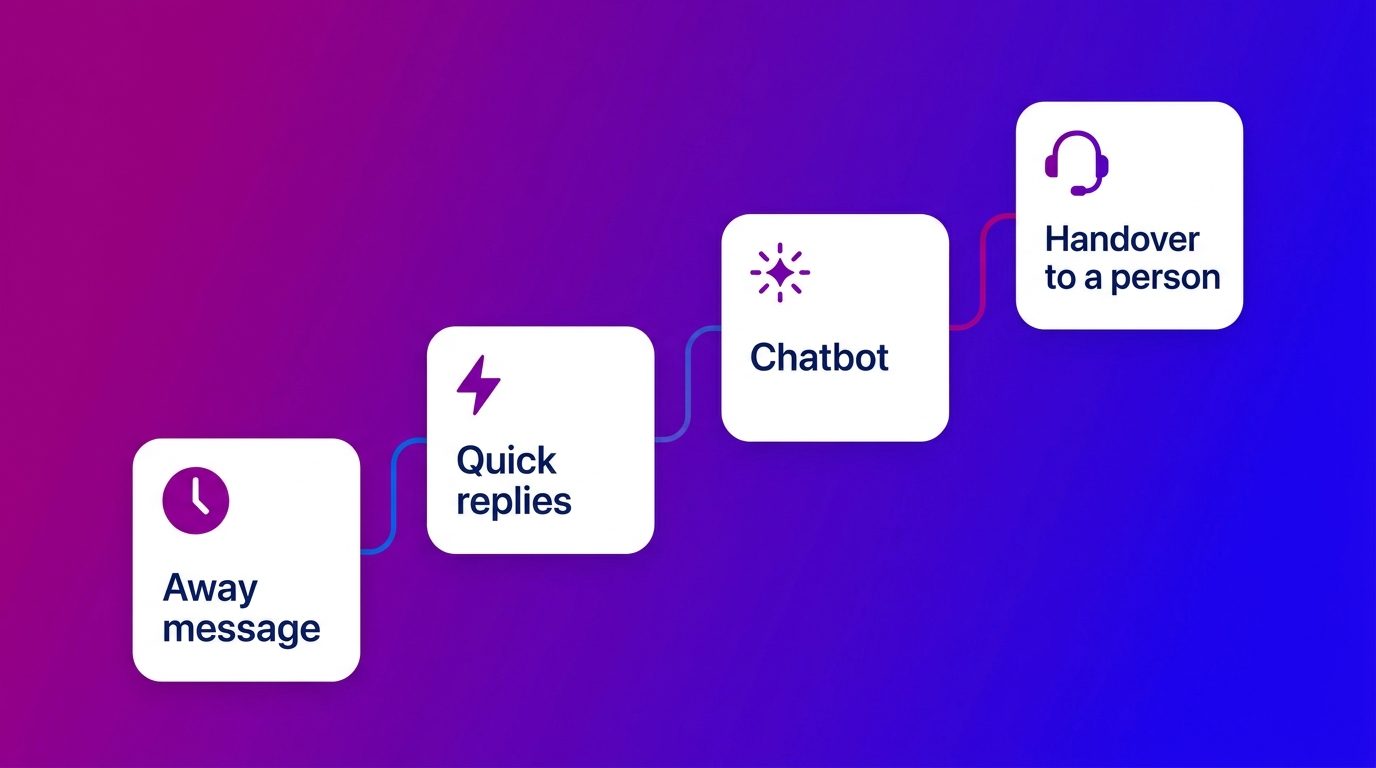
With the free WhatsApp Business app you can set up three kinds of automatic replies without a chatbot (WhatsApp Business):
- A greeting message. Goes automatically to customers who message you for the first time, or again after a while. Say who you are and what the customer can expect.
- An away message. Your out of office for WhatsApp Business. It goes out automatically outside the hours you set, or always if you choose. Say when you will reply again.
- Quick replies. Not an automatic message, but pre-written answers you send with a shortcut. Handy for questions that come back every day.
You find these settings under the business tools in the app. Keep the texts short and honest about your response time. An away message that says “we will reply tomorrow before 10am” works better than a vague “we will get back to you as soon as possible”.
Auto reply or chatbot: what is the difference?
An auto reply always sends the same message, a chatbot holds a conversation. That is the main difference.
- An auto reply lets the customer know their message has arrived. The question itself is left lying until someone responds.
- A chatbot answers the question immediately, books an appointment or asks what the customer is looking for. The customer has been helped before anyone from your team joins in.
An auto reply is enough as long as there are few messages and you answer them the same day. A chatbot becomes interesting when there are many recurring questions, or when customers message in the evening and at the weekend and then wait for an answer.
What a WhatsApp chatbot can do, and what not
A WhatsApp chatbot is strong in predictable questions and fixed processes. For exceptions and decisions you need people.
What a chatbot does well:
- Answering frequently asked questions, such as opening hours, delivery times and terms.
- Booking, moving and confirming appointments.
- Answering status questions, if it is connected to your systems.
- Asking a few qualifying questions and passing the lead with the conversation to sales. More about that is in WhatsApp marketing.
What you do not leave to a chatbot:
- Preparing quotes, agreeing prices or negotiating.
- Giving a technical judgement based on a photo.
- Handling complaints that need bespoke treatment or a decision.
Meta sets a clear requirement here: you may use automation in the 24-hour window, but customers must be able to reach a person quickly and clearly, for example via a handover in the chat (WhatsApp Business Policy). How that fits with customer service is covered in WhatsApp customer service.
How to set up a WhatsApp chatbot
Setting up a WhatsApp chatbot does not start with the technology, but with the question of which conversations it should handle. Go through these steps:
- Choose one goal. For example booking appointments or answering frequently asked questions. Start small and expand later.
- Connect your number to the WhatsApp Business API and connect chatbot software to it.
- Build a knowledge base. An AI chatbot is only as good as the information it gets: your offering, your terms and the questions customers really ask.
- Record the handover moments. When does an agent take over, and how do they know what has already been said?
- Prepare templates. After 24 hours of silence you may only send approved templates, even if a chatbot held the conversation.
- Test and adjust. Read along in the first weeks and add to the knowledge base where the chatbot did not know the answer.
If you would rather not build and maintain that yourself, you can have a WhatsApp chatbot set up and managed, connected to your CRM and with people behind it for the exceptions. What a chatbot can and cannot do in general is covered in what is a chatbot.
What we see when a chatbot answers WhatsApp
A chatbot on WhatsApp works best when it knows when to stop. At Bconnect we use AI on WhatsApp and the website chat, often as AI First with a handover to a person. We apply three rules.
- The AI invents nothing. If it does not know the answer, it says so and a person takes over. A wrong answer costs more trust than a handover.
- The handover is announced. The customer is told that an agent is joining, and that agent gets the whole conversation. The customer does not have to repeat anything.
- The customer can ask for a person themselves. Nobody has to go through a menu to speak to a real agent.
In automotive that means, for example, that the AI books a workshop appointment or sends an MOT reminder, and passes a part-exchange question with photos to the salesperson. In home and living the AI answers questions about delivery times and showroom hours, and a chat specialist takes over as soon as it is about bespoke work.
A WhatsApp chatbot works when you know when a person takes over
Start with what the WhatsApp Business app can already do: a greeting, an away message and quick replies. If the number of recurring questions grows, or customers mainly message outside office hours, a WhatsApp chatbot via the API is the next step. Choose one goal, build a good knowledge base and record when an agent takes over. That way the chatbot helps your customers faster, without anyone getting stuck in a conversation with a bot.
Frequently asked questions about the WhatsApp chatbot and auto reply
How do you set up an auto reply in WhatsApp Business?
Go to the business tools in the WhatsApp Business app. There you set up a greeting message and an away message, and create quick replies for questions that come back often.
Can you set an away message outside opening hours?
Yes. In the WhatsApp Business app you set when the away message is sent, for example outside your opening hours. State in it when the customer can expect an answer.
What does a WhatsApp chatbot cost?
An auto reply in the WhatsApp Business app is free. For a real chatbot you need the WhatsApp Business API, where you pay per delivered message, plus the chatbot software and its set-up and maintenance.
Do you need the WhatsApp Business API for a chatbot?
Yes, for a chatbot that holds conversations itself. With the ordinary WhatsApp Business app you can only automate fixed messages, such as a greeting and an away message.
Can a WhatsApp chatbot hand a conversation over to an agent?
Yes, and it should. A good chatbot passes the conversation on if it does not know the answer or if the customer asks for it. The agent then gets the whole conversation, so the customer does not have to repeat anything.
May you use AI in WhatsApp conversations with customers?
Yes. Meta allows automation in WhatsApp conversations, but customers must be able to reach a person quickly and clearly, for example via a handover in the chat, a phone number or an email address.
Can a chatbot qualify leads as well?
Yes. A chatbot can ask a few targeted questions, such as about budget, timing or the preferred specification, and pass the lead with the whole conversation to your sales team or CRM.