There is no best live chat software for everyone. The best live chat software is the solution that fits who answers at your company, which channels you use and where the conversations need to go. A car dealer that wants to schedule test drives chooses something different from a webshop with questions about delivery times.
Comparison lists put ten tools side by side on features and price per user. That is a step too early. First you decide which kind of solution you are looking for, and only then which provider. If you do not yet know exactly what live chat software is, start there.
Three kinds of chat solution
Chat solutions differ mainly in who conducts the conversation: your own team, AI, or people supplied by the provider.
1. Software you staff yourself
You get a chat window, an inbox and integrations. Your own staff answer the chats. This suits you if your team has time for it and you mainly want the chat open during office hours. You arrange the setup, writing answers and the rota yourself.
2. Software with AI that answers on its own
An AI chatbot answers questions based on your website and a knowledge base. That works well for predictable questions, such as opening hours, delivery times or the status of an appointment. You set up the AI yourself and keep it up to date. For advice or bespoke work, you still need someone to take over.
3. Software, AI and staffing in one
With this form, the provider also supplies the people. A chat solution with software and staffing combines AI for standard questions with chat specialists who ask follow-up questions and take over. These live chat services suit you if you want the chat staffed in the evening and at the weekend too, without extra staff.
What to compare live chat software on
Compare chat software on what happens after a visitor types something, not on the length of the feature list. These six points make the difference.
All channels in one inbox
Visitors switch channels: they start in the chat and reply later through WhatsApp or email. Choose software that brings website chat, WhatsApp, Messenger and email together in one inbox, with the conversation history attached.
AI with a handover to a person
Ask how the AI deals with a question it cannot answer. Good software announces the handover and gives the member of staff the whole conversation. For customers in the EU, Article 50 of the EU AI Act also requires that visitors are told when they are not talking to a real person.
Integrations with your systems
A lead that only sits in the chat inbox gets lost. Check whether conversations and contact details automatically reach your CRM, calendar or helpdesk, for example HubSpot or Salesforce, or through a webhook or Zapier.
Reporting
You want to see how many conversations come in, how quickly they are answered and how many conversations produce a lead. Which figures matter is covered in the article on live chat metrics.
Privacy and where the data is stored
A chat provider processes personal data on your behalf. Under UK GDPR, as the ICO explains, that makes them your processor, and you need a written contract with them. Also ask where the conversations are stored: transfers of personal data outside the UK are only allowed with the right safeguards in place.
Help with setup
Installing software is quick. Filling a knowledge base, writing chat scripts and agreeing what a good lead is takes more time. So ask who does that: you or the provider.
What does live chat software cost?
The price of live chat software depends on the pricing model and what is included. These are the models you come across most often:
- Per user. You pay per member of staff working in the inbox. That is affordable with a small team, but you still pay for that team’s hours on top.
- Per conversation or per resolved conversation. You often see this with AI: you pay by usage.
- Including staffing. You pay for software, AI and the people who chat. The balance between AI and people then determines most of the price.
So compare the total costs, not just the licence: software plus the hours you or your team put in. How that calculation works for a staffed chat is in the article on live chat outsourcing cost.
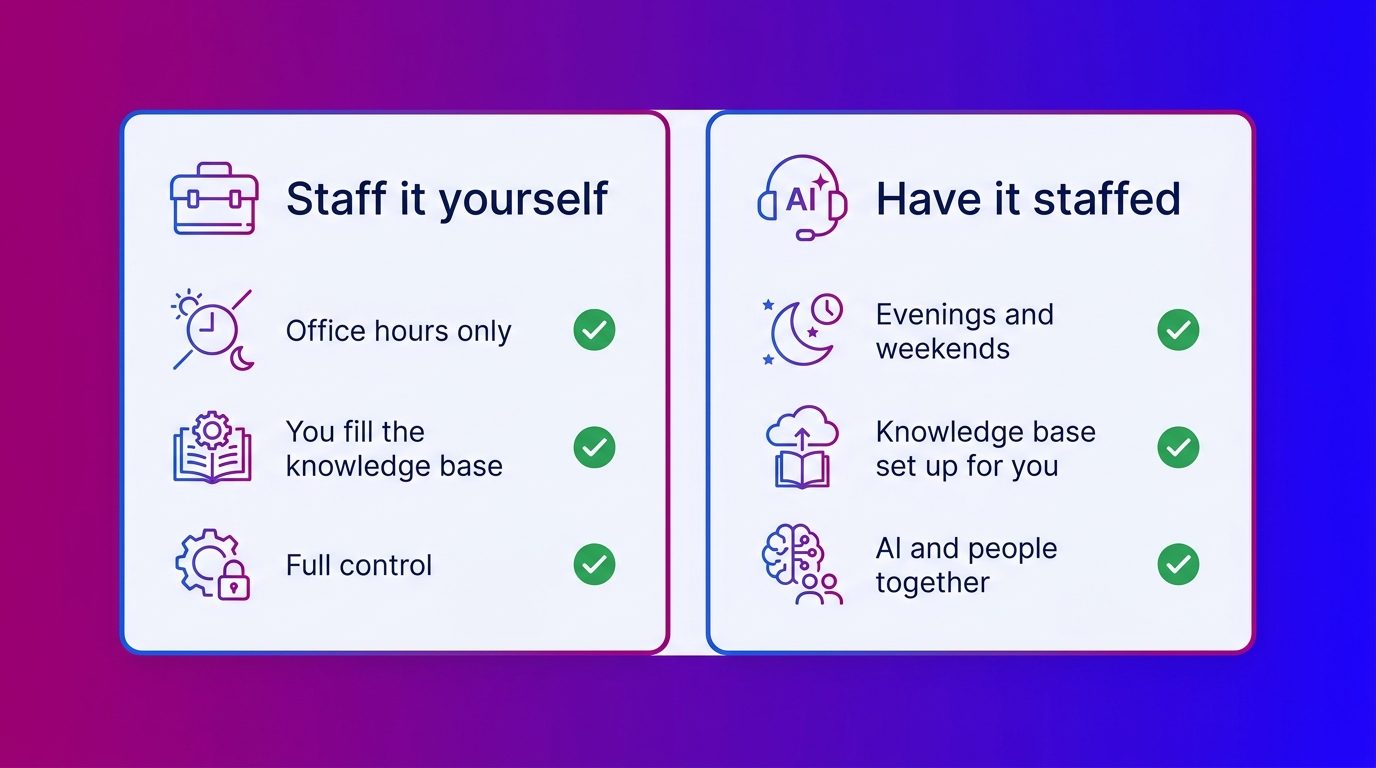
Staff it yourself or have it staffed?
Staffing it yourself suits you if your team can cover the chat at all busy moments. Having it staffed suits you if that is not possible. Three questions help you choose:
- How many hours a week can you staff the chat? A chat that is only open from nine to five misses the visitors who browse in the evening.
- How much advice do your visitors ask for? AI can handle standard questions. With a car, a kitchen or windows, a visitor wants someone who thinks along and asks follow-up questions.
- Who keeps the answers up to date? Prices, stock and promotions change. Someone has to maintain the knowledge base.
A hybrid is possible too. You can choose to outsource the chat fully or partly, for example only in the evening and at the weekend.
Where choosing chat software goes wrong
In practice, choosing chat software rarely goes wrong on the software itself, but on what is missing around it. At Bconnect we keep seeing three patterns.
- Software without staffing. The chat button is on the site, but nobody has time to answer. A chat that does not respond backfires.
- Only AI for leads. AI handles frequently asked questions well. To really get more enquiries, you need people who ask follow-up questions and steer the conversation towards an appointment or quote. For lead generation we therefore recommend Operator Assisted AI or AI First + Human Handoff, in which a chat specialist takes over where the AI stops.
- An empty knowledge base. A lot of software expects you to supply all the answers yourself. We gather that information together with the client and turn it into answers, scripts and qualification questions.
The first choice does not have to be the last. We work with three models: Operator Assisted AI, AI First + Human Handoff and AI Only. If you start with a lot of human involvement, you can move to more AI later, without starting over.
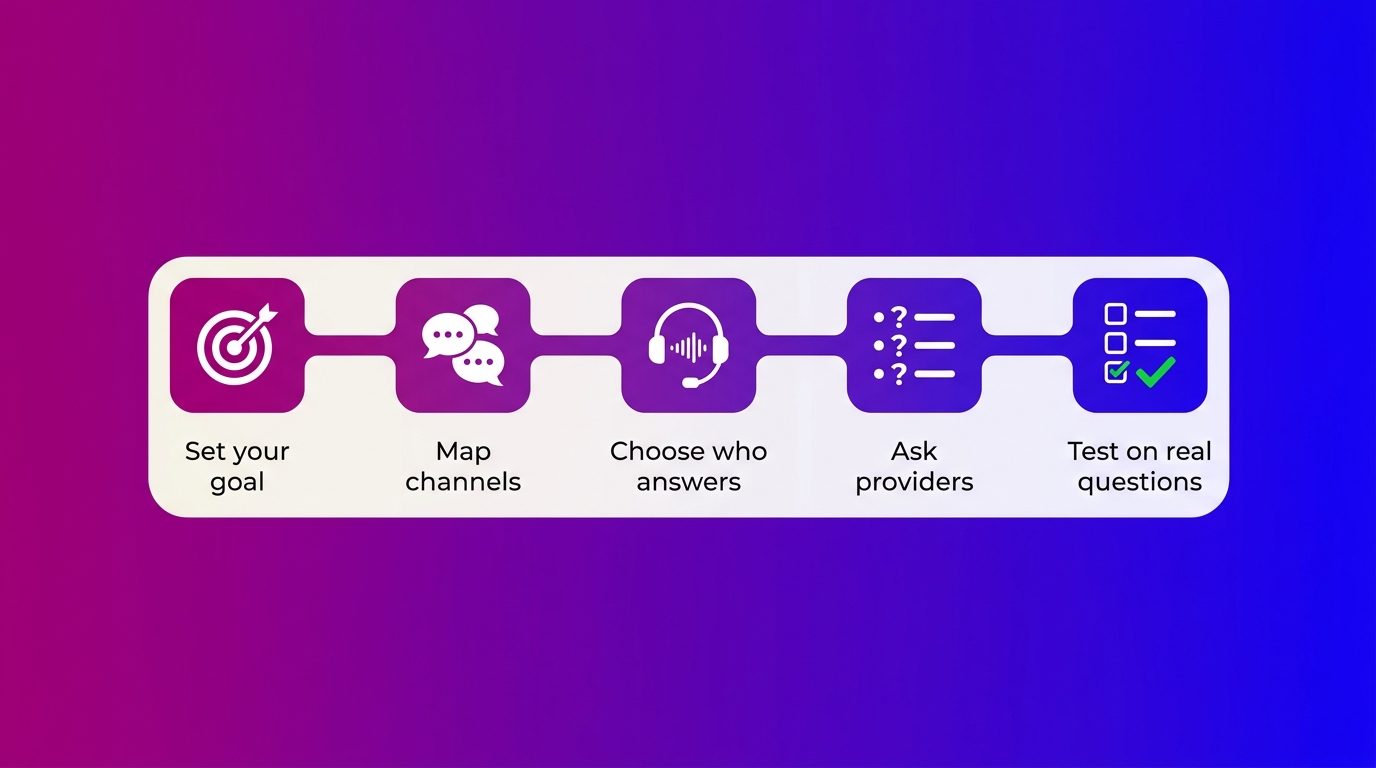
How to choose in five steps
A good choice starts with your goal and ends with a test on real questions. Only then do you compare providers.
- Set your goal. Do you want more enquiries, less pressure on your customer service, or both? First check whether live chat suits your business.
- Map channels and volume. How many visitors do you have, at what times, and through which channels do they get in touch?
- Choose who answers. Your own team, AI, a provider with chat specialists, or a mix.
- Ask every provider the same questions. How does the handover from AI to person work? Which systems does it connect to? Where is the data stored? Who sets up the knowledge base?
- Test on real questions. Have the solution answer ten questions your visitors actually ask. After that, adding live chat to your website is usually the smallest piece of work.
The best choice starts with who answers
Comparing live chat software on features is easy. Choosing what works calls for a different order: first decide who conducts the conversations and when, then the kind of solution, and only then the provider. The best chat software is the software in which every question gets a good answer in time and every lead reaches your sales team.
Frequently asked questions about choosing live chat software
What is the best live chat software?
There is no chat software that is best for every business. The best choice depends on who staffs the chat, which channels you use, which systems you want to connect and how much advice your visitors ask for. Decide that first and then compare providers.
What is the difference between chat software and a staffed chat?
Chat software is software: you get the chat window and the inbox and answer the chats yourself. With a staffed chat, the provider also supplies the people who staff the chat, often supported by AI.
Is there free live chat software?
Yes, many providers have a free version with limited features. You usually miss out on integrations, reporting or AI, and you always staff the chat yourself. That can work for a first test, but usually not for a chat that has to produce leads.
Is chat secure for sensitive information?
Chat can be secure if the provider stores the data securely, has a processing contract with you and keeps the data in the UK or EU, or only transfers it with the right safeguards. Do not ask visitors in the chat for details you do not need.
Which chat software suits a car dealer or a kitchen showroom?
For a product customers hesitate over and compare, such as a car, a kitchen or windows, a solution in which people think along and ask follow-up questions fits best. Look at integrations with your CRM or stock system and at availability in the evening and at the weekend, because that is when a lot of contact is lost.
How long does it take to set up live chat software?
Adding the script takes little time. The knowledge base, the scripts and the integrations determine the lead time. At Bconnect an AI-only setup is typically live within a few weeks, and a solution with chat specialists within a week to a month, depending on complexity.
Can you switch chat solution later?
Yes. If you switch software, include your conversation history, knowledge base and integrations in the planning. At Bconnect you can also switch model within the same solution, for example from more human involvement to more AI.