Live chat increases your website’s conversion rate when you approach visitors at the moment they hesitate, answer quickly and ask about a next step. A chat button that only waits for someone to click leaves most opportunities on the table. If you first want to know what chat delivers in general, read about the benefits of live chat on your site.
The difference comes down to three things: when you approach someone, what you say and what you do next.
Why live chat increases conversions
Live chat increases conversions because it removes the barrier to contact at the moment a visitor hesitates.
- The barrier disappears. Typing a question is easier than calling or filling in a form.
- Doubt is removed straight away. Is this car still available, will this window fit, what is the lead time? An answer within seconds keeps the visitor on your site.
- The conversation sets up the next step. A good chat asks about a test drive, a quote or a showroom appointment.
Proactive chat: approaching visitors at the right moment
Proactive chat means the chat shows an invitation by itself, based on what the visitor is doing. That way you start conversations with people who would never have pressed the button.
Live chat software shows which page a visitor is on, how long they have been there, where they came from and whether they have visited your site before. Based on that, you set up triggers. A chat function that approaches visitors proactively uses those signals to show an invitation at the right moment.
Triggers that often work well:
- Several model pages or designs viewed. The visitor is comparing and probably has a question.
- A long time on a specification or pricing page. This is often where doubt about a detail or the cost sits.
- Back on the site. Someone who comes back is researching seriously.
Triggers that often irritate: an invitation within a few seconds on the homepage, or a pop-up that keeps coming back after someone has closed it. AI can help here: chatbots and AI support recognise patterns and can answer standard questions straight away.
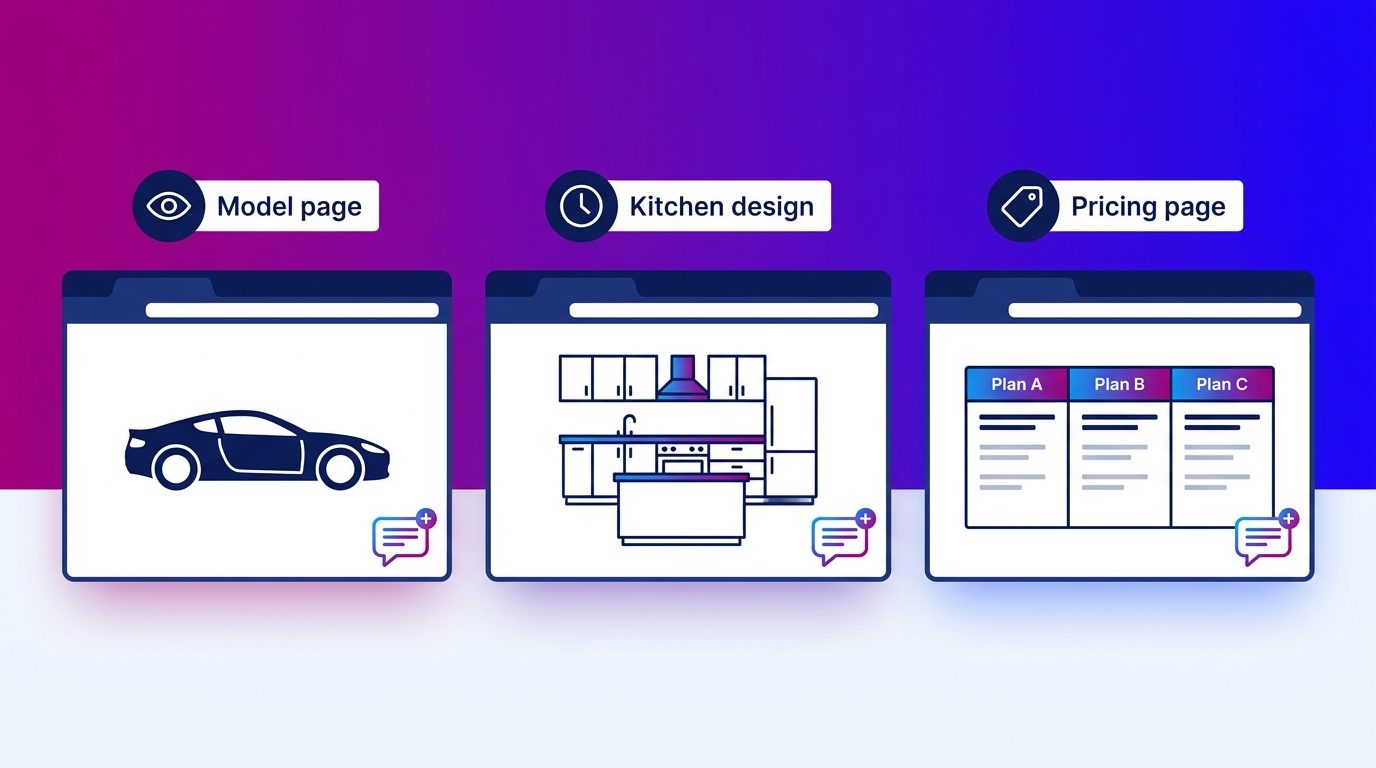
An invitation that fits the page
An invitation works better when it matches what the visitor is looking at that moment. A generic “Can I help you?” says nothing about what you can help with. Nielsen Norman Group found that users will not work out for themselves what a chatbot can do for them, and recommends specific opening messages in the right place.
Examples of opening lines per page:
- A car model page: “Torn between two trims? I can set out the differences for you.”
- A kitchen design: “Would you like to know what this design costs in your measurements?”
- A pricing page: “Shall I help you with a tailored quote?”
- A contact page: “Can I answer your question right now, so you don’t have to call?”
Keep the line short, concrete and friendly. One question is enough.
Responding quickly and asking follow-up questions
An invitation only delivers something if it is followed by a quick, good answer. The longer a visitor waits, the more likely they are to have gone already.
After the answer comes the step that is often skipped: asking follow-up questions. “Is this car also available as a hybrid?” is an opportunity to ask about a test drive, a part-exchange or the preferred delivery time. That is how a question becomes an enquiry. How that works step by step is covered in the article on leads from live chat.
The triggers and timing we see working
Triggers work best when they are tailored to the site and the offering. That is why at Bconnect the AI only starts conversations on agreed triggers, such as viewing several model pages or staying on the specifications for a long time.
The AI gives answers and advice first, and does not push straight for an appointment. Only when there is clear interest does it ask further, or a chat specialist takes over. Visitors get a reply within seconds.
After go-live, we adjust the triggers to what works. Pages where invitations produce few conversations get different timing or a different line. Pages where many conversations become an enquiry get more attention.
Measuring and improving
Increasing conversions with live chat is a matter of testing and adjusting. Measure per page what share of visitors starts a conversation and what share of those conversations becomes an enquiry. Which other figures to track is covered in live chat metrics.
Then test one thing at a time: a different trigger, a different opening line or a different position for the button. That way you see what makes the difference. If you are looking more broadly at website lead generation, chat is one of the building blocks. The technology is usually the smallest piece of work; see how to add live chat to your website.
Conversion starts with the invitation
Live chat increases conversions when the invitation comes at the right moment, fits the page and is followed by a quick answer and a good follow-up question. That takes well-tuned triggers and people who move the conversation towards a next step. If you cannot staff that yourself, you can have the chat staffed by chat specialists.
Questions fréquentes
Does live chat increase a website’s conversion rate?
Yes, if the chat is set up well. Live chat removes the barrier to contact, takes away doubt straight away and moves the conversation towards a next step, such as a quote or an appointment. A chat that does not respond actually delivers less.
What is proactive chat?
Proactive chat is a chat that shows an invitation by itself, based on what a visitor does. For example, when someone stays on a pricing page for a long time or compares several models. That way you start conversations with visitors who would not have pressed the chat button themselves.
When should you approach a website visitor in the chat?
At the moment there is probably a question: after comparing several products, after some time on a specification or pricing page, or when someone returns to the site. Not within a few seconds on the homepage.
Isn’t a proactive chat invitation intrusive?
Not if it fits the page and does not keep coming back. A short, concrete question that matches what the visitor is looking at feels like help. A generic pop-up that appears immediately and returns after being closed feels pushy.
What can you see about a visitor in live chat software?
Usually the page they are on, how long they have been there, where they came from and whether they have visited your site before. Which data you may use depends on your cookie settings and the visitor’s consent.
How quickly should you respond in the chat?
As quickly as possible, ideally within a few seconds. A visitor asking a question on your site expects an immediate answer. If you cannot always manage that, let AI pick up the first questions or have the chat staffed.
Does proactive chat work with AI too?
Yes. AI can show invitations on agreed triggers, answer standard questions straight away and hand the conversation over to a member of staff when advice is needed. The visitor must know they are talking to AI.