Implementing AI agents comes down to six steps: you choose one use case, define what a good conversation looks like, build the knowledge base and integrations, agree the handover to a person, test and go live, and then keep adjusting. The technology is rarely the problem. Most of the work is in the knowledge base, the agreements and the adjustments after go-live.
In this article you learn what to arrange at each step, which KPIs to track afterwards and how often to adjust. If you first want to know exactly what an AI agent is, read what an AI agent is.
How do you implement an AI agent?
You implement an AI agent by starting small with one clear task and getting that right before you expand. In its guide to AI agents, Anthropic recommends the same: start with the simplest solution and only add complexity when it demonstrably delivers something.
The six steps at a glance:
- Choose one use case.
- Define what a good conversation looks like.
- Build the knowledge base and connect your systems.
- Agree the handover to a person.
- Test with real questions and go live on one channel.
- Measure and adjust.
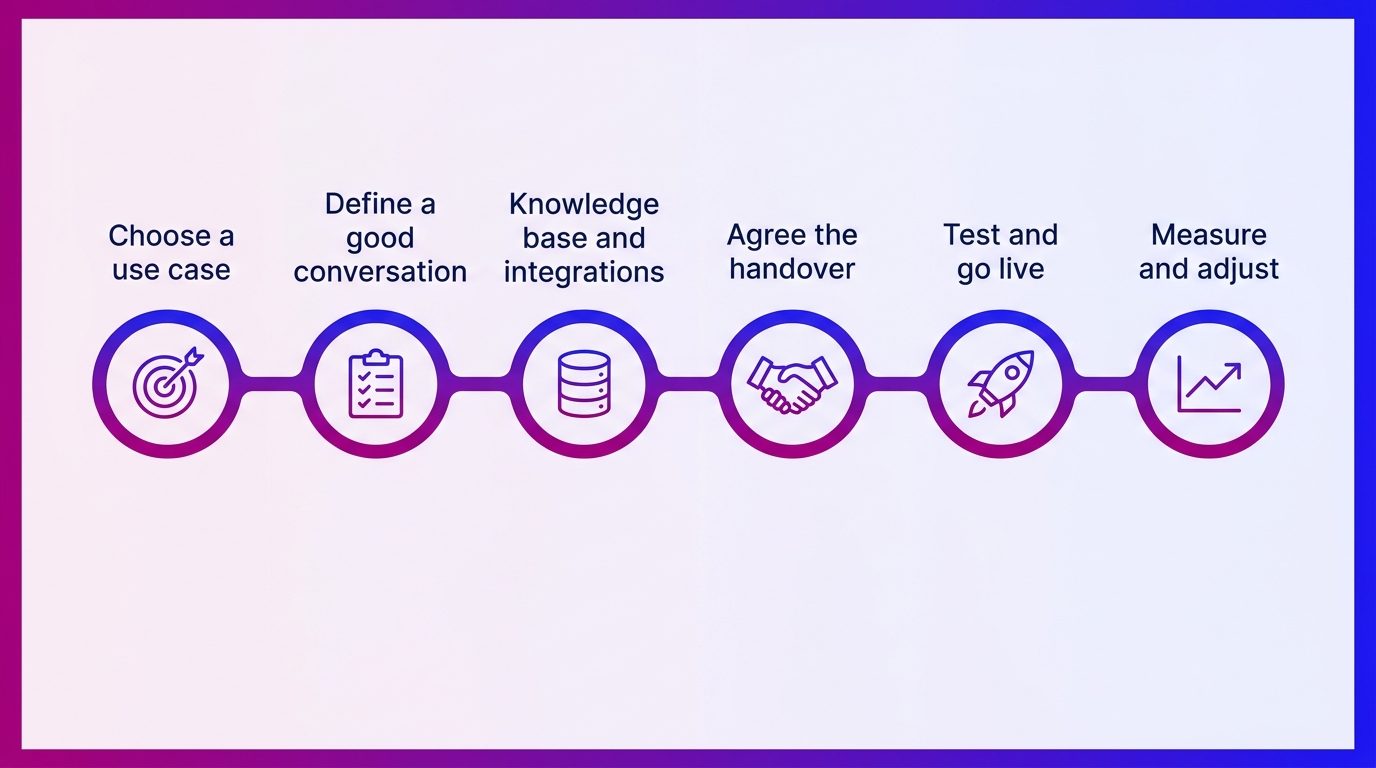
Steps 1 and 2: choose one use case and define a good conversation
Start with the task that comes up most often and has the clearest result. Think of test drive requests at a car dealership, measuring appointments at a window company or status questions at an online shop. Getting one task working well teaches you more than getting five half right.
Then define when a conversation is successful. For an AI sales agent, those are lead criteria: what information must be there before sales follows up? At least name, email and phone number, and often things like a part-exchange, buying moment or budget. For an AI service agent, they are resolution criteria: when is a question really resolved?
Without these agreements, nobody can say later whether the agent works well. And the agent itself does not know what to steer towards.
Appointments are often a good first use case, because the result is immediately measurable: the appointment is in the calendar or it is not. How that works is covered in booking appointments automatically with AI.
Step 3: build the knowledge base and connect your systems
The knowledge base determines what the agent knows. It contains your products, prices or price indications, terms, opening hours and answers to the questions your team gets every week. A good source is your own chat and email history: that is where you find the questions customers really ask.
Next, you connect the systems in which the agent needs to act. Without a connection to a calendar or CRM, an agent stays stuck at explaining. With integrations with your CRM, calendar and channels, it can record leads, book appointments and pass conversations to the right team.
Which software you choose depends on your channels and systems. The article on choosing AI agent software goes into this further.
Step 4: agree the handover to a person
Decide in advance when a person takes over the conversation and who that is. Typical moments are complaints, bespoke requests, price agreements, doubt on the agent’s side or a customer who asks for it.
Also agree what the colleague receives: the full conversation, the answers to the qualifying questions and the page the visitor came from. And announce the handover, so the customer knows what is happening. Customers should know they are talking to AI and should always be able to reach a person. In the EU, Article 50 of the AI Act makes that transparency a legal requirement from 2 August 2026.
A missing handover is one of the biggest pitfalls. Which other risks to cover in advance is explained under the risks of AI agents.
Step 5: test with real questions and go live on one channel
Test the agent with questions customers really ask, not with questions you make up yourself. Take dozens of conversations from your history and check whether the agent gives the right answer, asks the right questions and hands over at the right moment. Also try deliberately difficult questions: ambiguous, incomplete or off-topic.
Then go live on one channel, usually the chat on your website. If that works well, you expand to WhatsApp or other channels. That keeps any mistake small and quick to fix.
Step 6: measure and adjust
After go-live, the real work begins. An AI agent improves by reading back conversations, adding to the knowledge base and sharpening instructions. For that, you need a few KPIs that show where things go well and where they go wrong.
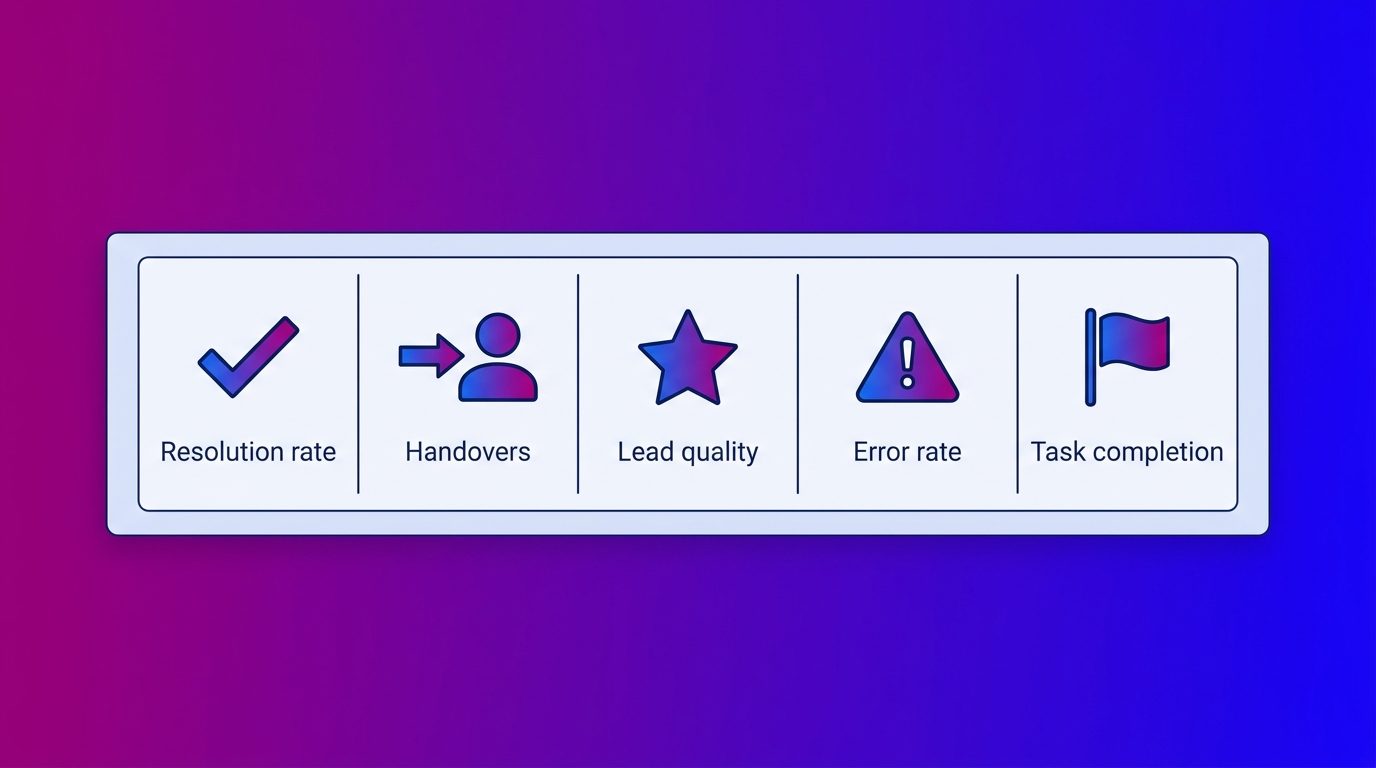
Do not look at one KPI in isolation. A high resolution rate with many errors is worse than a slightly lower rate with correct answers. And for an AI sales agent, lead quality counts for more than the number of leads.
A fixed rhythm for adjusting
In the first weeks after go-live, read back a sample of conversations every week. Note for each conversation what went well and where the agent got stuck, and add to the knowledge base accordingly. After a few months, a monthly round is often enough, plus an extra check when something changes in your offer, prices or terms.
An AI agent is therefore never “finished”. Every new promotion, new model and season brings new questions. If you know that in advance, you plan time for it. That is why many organisations choose to set up and maintain AI automation in customer contact together with a partner.
How an implementation works with us
At Bconnect, we build the knowledge base together with the client and agree the lead criteria before the agent goes live. As a result, an AI Sales Agent is typically live within 2 to 3 weeks. Most of the time goes not into technology, but into getting the content and agreements right.
After go-live, we read back conversations and adjust based on what we see. Where the AI cannot resolve something, it announces that it is handing over, and one of our chat specialists or the client’s own team takes over. Those handovers are valuable input: they show exactly which knowledge or rule is still missing.
A good implementation is therefore not a project with an end date, but a cycle. You start small, learn from real conversations and expand what works. You will find more on the whole topic under AI agents.
Frequently asked questions about implementing AI agents
How long does it take to implement an AI agent?
That depends on your offer, channels and integrations. A first use case can be live within a few weeks. At Bconnect, an AI Sales Agent is typically live within 2 to 3 weeks. That is followed by a period of adjusting based on real conversations.
Do you need technical knowledge?
Not necessarily. Most platforms work without programming. What you do need is knowledge of your own customers, products and processes. Integrations with your CRM or calendar may need technical help.
Which use case should you start with?
With the task that comes up most often and has the clearest result. Think of booking appointments, status questions or qualifying enquiries. Choose something where you can easily see whether it is going well.
Which KPIs matter most?
Resolution rate, handovers, lead quality, error rate and task completion. Always look at them together: a high resolution rate says little if the answers are wrong.
How often should you adjust an AI agent?
Weekly in the first weeks, then often monthly. Also adjust immediately when something changes in your offer, prices or terms, because otherwise the agent gives outdated answers.
Who is responsible for training it?
Appoint one owner who keeps the knowledge base up to date and has conversations read back. That is often someone from customer service or marketing, with input from sales and the team that handles the handovers.
When is an AI agent finished?
Never completely. New products, promotions and seasons bring new questions. An AI agent therefore remains a cycle of measuring, adding and improving.