A click bot is a chatbot in which the visitor does not type, but chooses from fixed buttons. Every click leads to a next step, until the visitor has their answer, has booked an appointment or is passed to a member of staff. That makes a click bot predictable and quick to set up, but it gets stuck as soon as a question is not in the menu.
Below you will read how a click bot works, which examples exist and when you are better off choosing an AI chatbot or a combination of both.
What exactly is a click bot?
A click bot, also called a menu chatbot or button chatbot, is a chatbot that works with a decision tree of buttons drawn up in advance. The visitor keeps choosing from a few options, and with every choice the click bot shows the matching answer or the next question.
A conversation with a click bot looks like this, for example:
- Click bot: How can I help you? [Book a test drive] [Opening hours] [Something else]
- Visitor clicks on Book a test drive.
- Click bot: Which model would you like to try? [Model A] [Model B] [Not sure yet]
- Visitor clicks on Model B.
- Click bot: Which day suits you? [This week] [Next week], after which the click bot asks for a name and phone number.
There is no language understanding behind it: the click bot does not recognise free questions, it only follows the path the visitor clicks. What a chatbot is in general and which other types exist is covered in what is a chatbot.
Click bot: one term, two meanings
In customer contact, a click bot means a chatbot with buttons. You also see the names menu chatbot, button bot and decision-tree chatbot used for the same thing.
In online security, however, “click bot” has a completely different meaning: software that imitates human clicks on adverts and links, usually for ad fraud. If you are looking for information about click bots for customer contact, those bots have nothing to do with you. This article is only about the chatbot with buttons.
How does a click bot work?
A click bot works with a decision tree: a pre-drawn diagram of questions, buttons and answers. Every button is a branch, and every branch ends at an answer, a form or a handover to a member of staff.
Building one takes three steps:
- Choose the topics. Decide which questions or tasks the click bot handles, such as opening hours, booking an appointment or the status of an order.
- Draw out the paths. Write out the questions and buttons per topic until every path has a clear end.
- Arrange the exit. Make sure there is always a button such as Something else or Speak to a person, so a visitor does not get stuck.
Buttons work on a website, but also in messaging apps. WhatsApp, for example, supports messages with a small number of reply buttons with short labels. That limitation forces you to keep choices short and clear, and that is exactly what a click bot is good at.
How a click bot differs from chatbots that understand free text is covered in how do chatbots work.
Examples of a click bot
You mainly see click bots with tasks that follow a fixed course, where the visitor chooses from a limited number of options.
Ordering in a messaging app. Some of the earliest well-known click bots were ordering bots from food chains in Messenger: customers started an order with a couple of buttons such as Reorder or Track my order, and the bot walked them through the steps. Those bots understood little of free text: exactly the hallmark of a click bot.
Booking appointments. A test drive at a dealership or a showroom appointment in home and living almost always follows the same steps: which model or product group, which branch, which day. A click bot leads the visitor through it in a few clicks.
Order status and returns. At online shops the visitor chooses between Where is my order?, Register a return and Something else. The click bot asks for the order number and shows the status or the returns form.
Signposting. Many businesses use a click bot only as a signpost: the visitor chooses a topic and ends up at the right page, the right form or the right department.
More examples of chatbots, including with AI, are in the chatbot examples.
Pros and cons of a click bot
A click bot is predictable and cheap to maintain, but limited as soon as visitors ask something you did not foresee.
Pros:
- Predictable. The click bot never says anything you did not put in it yourself. There is no risk of an invented answer.
- Quick to set up. For a handful of fixed tasks, a click bot is live quickly.
- Clear for the visitor. Buttons show what is possible. The visitor does not have to work out how to phrase their question.
- Easy to measure. You see exactly which buttons are clicked and where visitors drop out.
Cons:
- No free questions. If a question is not in the menu, the visitor gets no further.
- Long paths. The more topics, the deeper the decision tree and the more clicks a visitor needs.
- Manual maintenance. Every new topic or changed answer has to be adjusted in the decision tree yourself.
- Less personal. A conversation with buttons only feels like a form, not like a conversation.
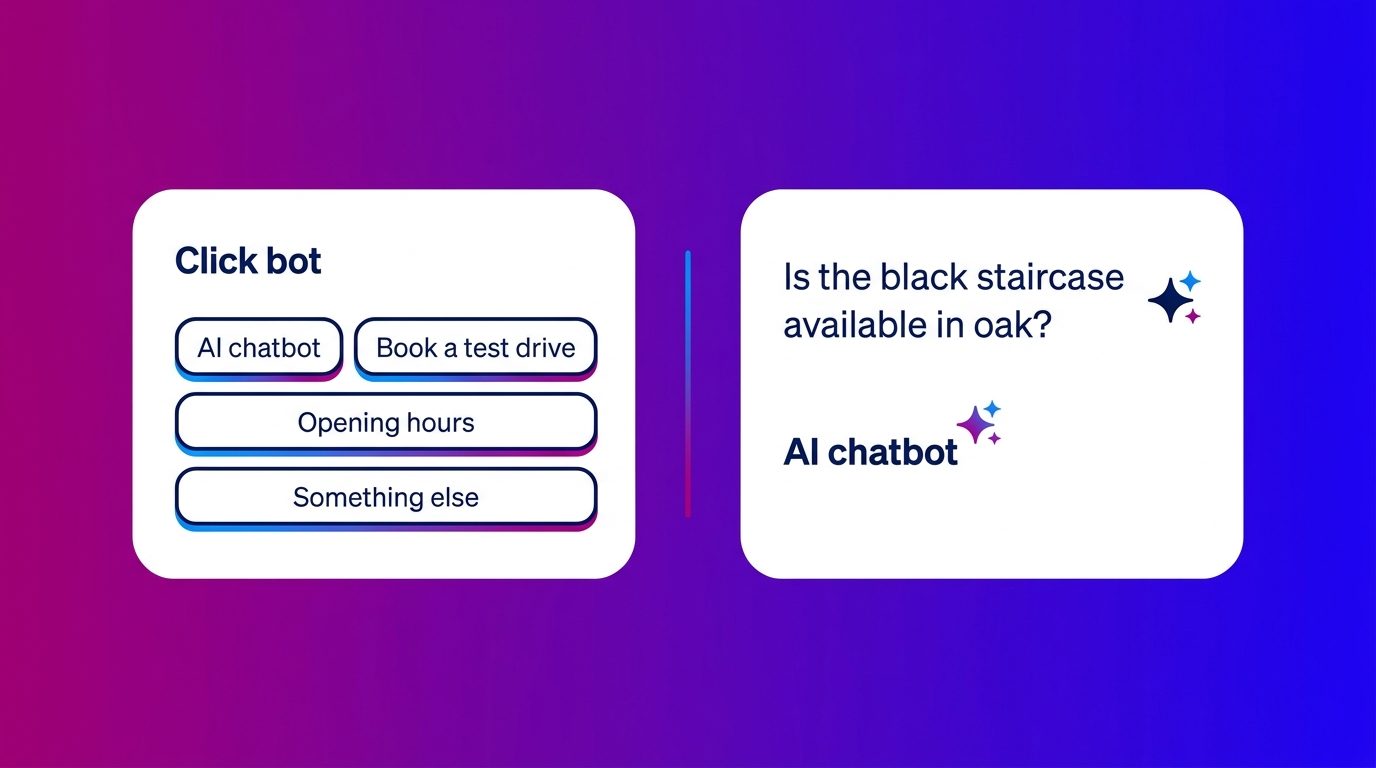
Click bot or AI chatbot: what suits your website?
Choose a click bot if your visitors want to carry out a few fixed tasks, and an AI chatbot if they ask free questions you cannot all foresee. For most businesses with an advisory product, a combination works best.
A simple decision rule:
- Click bot: most conversations are about fewer than ten topics with a fixed course, such as appointments, order status or opening hours.
- AI chatbot: visitors ask questions in their own words, about specific products, finishes or situations.
- Combination: you want to get visitors started quickly with buttons, but also answer free questions and let a person take over when needed.
That combination is increasingly common. The click bot opens the conversation with a few buttons for the most popular tasks, an AI chatbot answers free questions and a member of staff takes over with doubt or a buying question. What is involved in training such a chatbot is covered in chatbot training.
How we combine buttons, AI and people
At Bconnect we see that visitors like buttons to get started, but are rarely done with buttons alone. Especially with a car, a kitchen or made-to-measure windows, they want to know something specific after the first click.
That is why we combine the three. A few buttons help the visitor on their way quickly, for example to a test drive, a showroom appointment or a quote. If the visitor then asks a question of their own, the AI answers it from the knowledge base we build together with the client. And with doubt, a complaint or a concrete buying question, the AI announces a handover and one of our chat specialists takes over the conversation, with everything that has already been discussed.
Which balance fits differs per client: from Operator Assisted AI, in which our chat specialists hold the conversation, to AI Only for predictable questions. If you would rather not build such a set-up yourself, you can choose upgrading from a click bot to an AI chatbot that is set up and managed for you.
A click bot is a good start, rarely the end point
A click bot is a chatbot with buttons that leads visitors along fixed paths to an answer or an appointment. It is predictable, quick to set up and easy to measure, which makes it ideal for tasks with a fixed course. As soon as visitors ask questions in their own words, you need more: an AI chatbot that understands free questions and a person who takes over when it matters. All the articles on this topic are in the overview of chatbots.
Frequently asked questions about click bots
What is a click bot?
A click bot is a chatbot in which the visitor chooses from fixed buttons instead of typing. Every choice leads to a next step, until the visitor has their answer, has booked an appointment or reaches a member of staff.
What is the difference between a click bot and an AI chatbot?
A click bot only works with buttons and fixed paths and does not understand free text. An AI chatbot understands questions in the visitor’s own words and formulates an answer itself from the business’s knowledge. A click bot is more predictable, an AI chatbot more flexible.
Is a button chatbot the same as a click bot?
In customer contact, yes: both names describe a chatbot with buttons, as do menu chatbot and decision-tree chatbot. In online security, “click bot” is also used for software that generates fake clicks on adverts, but that has nothing to do with customer contact.
Can you extend a click bot with AI?
Yes. Many businesses keep the buttons for the most popular tasks and add an AI chatbot for free questions. That way the visitor keeps the convenience of the buttons and does not get stuck if their question is not in the menu.
When do you choose a click bot?
If most conversations are about a limited number of topics with a fixed course, such as booking an appointment, the status of an order or opening hours. For advisory questions about specific products, a click bot alone is usually too limited.
What does a click bot cost?
A simple click bot is cheaper to set up than an AI chatbot, because no knowledge base and language model are needed. The cost lies mainly in drawing up and maintaining the decision tree. The more topics, the more maintenance.
Can a click bot pass a conversation to a member of staff?
Yes, if you set it up that way. Give every click bot a button such as “Speak to a person” or “Something else”, so a visitor always has a way out. Make sure the member of staff sees which choices the visitor has already made.